

Every script sold on this site assumes a predictable project layout, so it can find your raw drone data and know where to save its output without you choosing a save location every time. This structure isn’t a QGIS requirement — it’s a convention the scripts are built around. Set a project up this way once, and the whole toolkit works together with no manual path configuration.
The structure
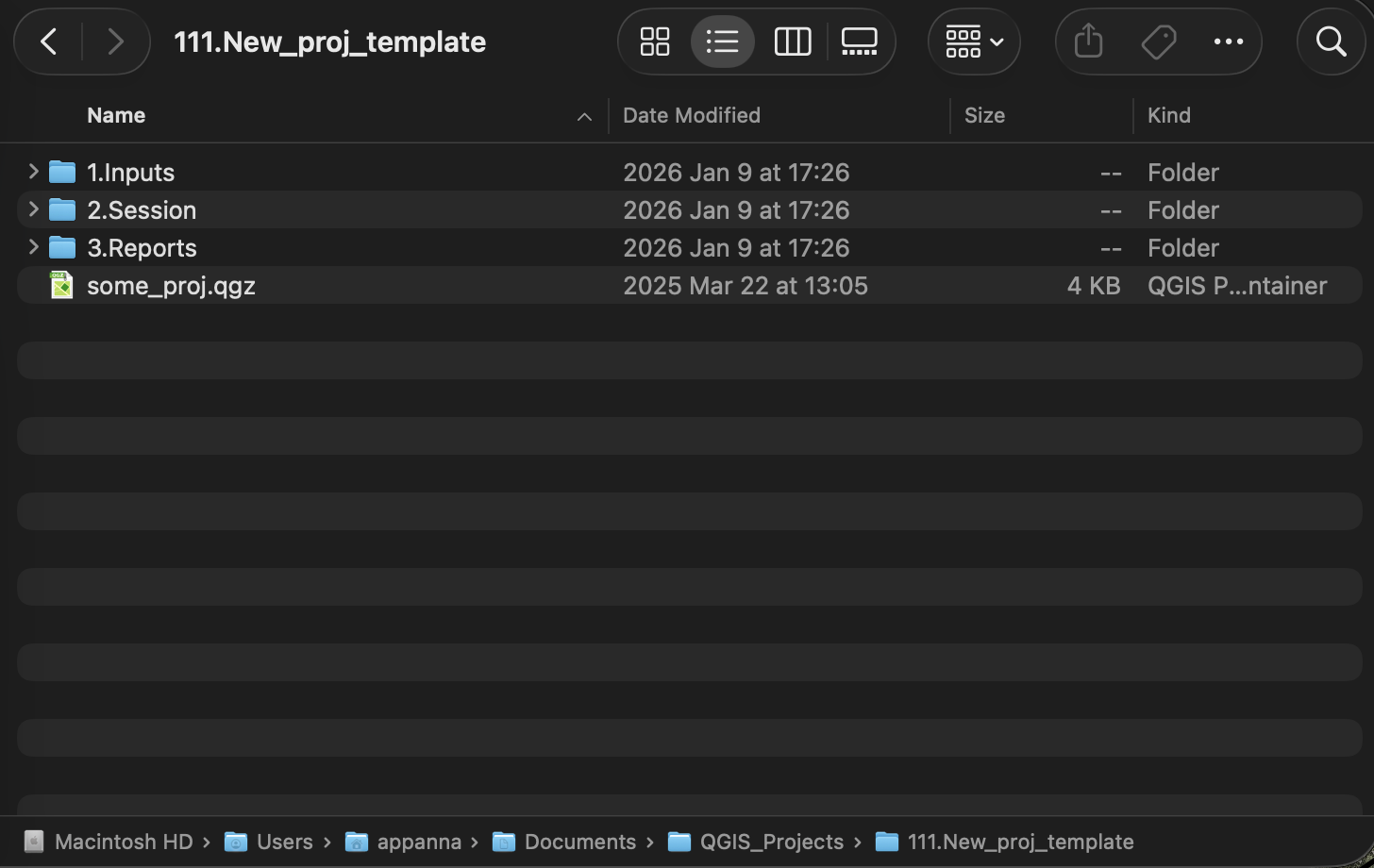
Here’s the actual blank template this convention starts from:
MyProject/
├── MyProject.qgz                  ← the QGIS project file, saved at the root
├── 1.Inputs/                      ← raw deliverables, exactly as received
│   ├── KMLs/                      ← boundary / waypoint files
│   └── ...                        ← raw orthomosaic, DSM, DTM, multispectral rasters
├── 2.Session/                     ← everything the scripts generate
│   ├── Geojsons/                  ← all vector outputs — boundaries, grids, tree points, results
│   ├── Boundary_clipped/
│   │   ├── DTMs/
│   │   ├── DSMs/
│   │   ├── Orthos/
│   │   ├── hillshades/
│   │   ├── Contours/
│   │   ├── Sunlight_simulations/
│   │   └── regular_jpegs/
│   └── Insights/                  ← text reports (e.g. lake volume summaries)
└── 3.Reports/                     ← finished, client-facing report exports
1.Inputs/ holds your raw drone deliverables untouched. 2.Session/ holds everything derived from them — clipped rasters, generated vectors, and written reports — kept separate so you always know what came from the drone and what the scripts produced. 3.Reports/ is where finished, client-facing exports go — nothing in this toolkit writes there automatically; it’s yours to fill by hand once you’re ready to share results.
Why it matters
Scripts that need to save a project-level output — a report, a grid, a generated polygon layer — don’t ask you where to put it. They walk up from whatever input file they do have, looking for a parent folder containing 1.Inputs or 2.Session, and once found, they know exactly where the rest of the structure lives. If a script has no input file to anchor on at all (for example, grid_generation.py when no polygon layer is checked), it falls back to the open QGIS project file’s own location instead — since one .qgz per project root is itself part of the convention.
This isn’t an arbitrary layout invented for this blog — it’s the same fixed structure a companion internal tool treats as its single source of truth for a project, so every tool in the pipeline agrees on where things live.
Setting it up
- Create your project root folder — name it after the field, client, or site.
- Create
1.Inputs/inside it and drop your raw drone deliverables there (orthomosaic, DSM, DTM, multispectral raster, KML boundaries). - Save your QGIS project (
.qgz) at the project root — not inside a subfolder.
That’s it. You don’t need to pre-create 2.Session/ or any of its subfolders by hand.
You don’t have to build it by hand
Every script in the toolkit creates the folders it needs the first time it runs, so 2.Session/Geojsons/, 2.Session/Insights/, and the rest appear automatically as you use each script — you’ll never hit a “folder not found” error just because you’re starting a project from scratch. The only two things worth setting up yourself are 1.Inputs/ (to keep your raw data organized from the start) and saving your QGIS project at the project root, since that’s the anchor several scripts use to find everything else.
Scripts that rely on this structure
- grid_generation.py — saves
grid_clipped.geojsonto2.Session/Geojsons/when no polygon layer is checked - generate_contour_level_polygon.py — always saves its output polygons to
2.Session/Geojsons/ - calculate_lake_volume.py — saves its text report to
2.Session/Insights/
What if my project doesn’t look like this?
Nothing breaks. Scripts that save “next to the input file” (most of them) will simply save beside whichever layer you point them at, wherever that is. The 2.Session/... convention only kicks in for the handful of scripts that need a project-level destination without one obvious input file to save next to — and even then, they fall back gracefully rather than erroring out.
If you’re working with an older project that predates this exact naming (plain Inputs/ instead of 1.Inputs/, or a Session_layers/-style folder instead of 2.Session/), it’s worth renaming to match — new projects should start from the numbered template above.
Get the scripts
This structure is used across the whole script catalogue:
- Drone Mapping, Terrain & Multispectral Analysis QGIS Package — all 16 GIS utility, terrain, and vegetation analysis scripts